
Alerts
Alerts notify selected users by email when a monitored deployment becomes unhealthy or when host resource usage exceeds a configured threshold.
Vendor Alerts and Customer Alerts
Section titled “Vendor Alerts and Customer Alerts”By default, alerts are vendor-managed: you configure alert rules and choose who gets notified.
Under Customers in the Vendor Portal, you can enable alert management per customer organization (see Customer Management). This supports two scenarios:
Vendor-managed deployments: You monitor deployments and receive alerts directly, potentially before the customer notices an issue.
Customer-managed deployments: Customers configure their own alerts and choose who in their organization gets notified.
How to Configure Alerts
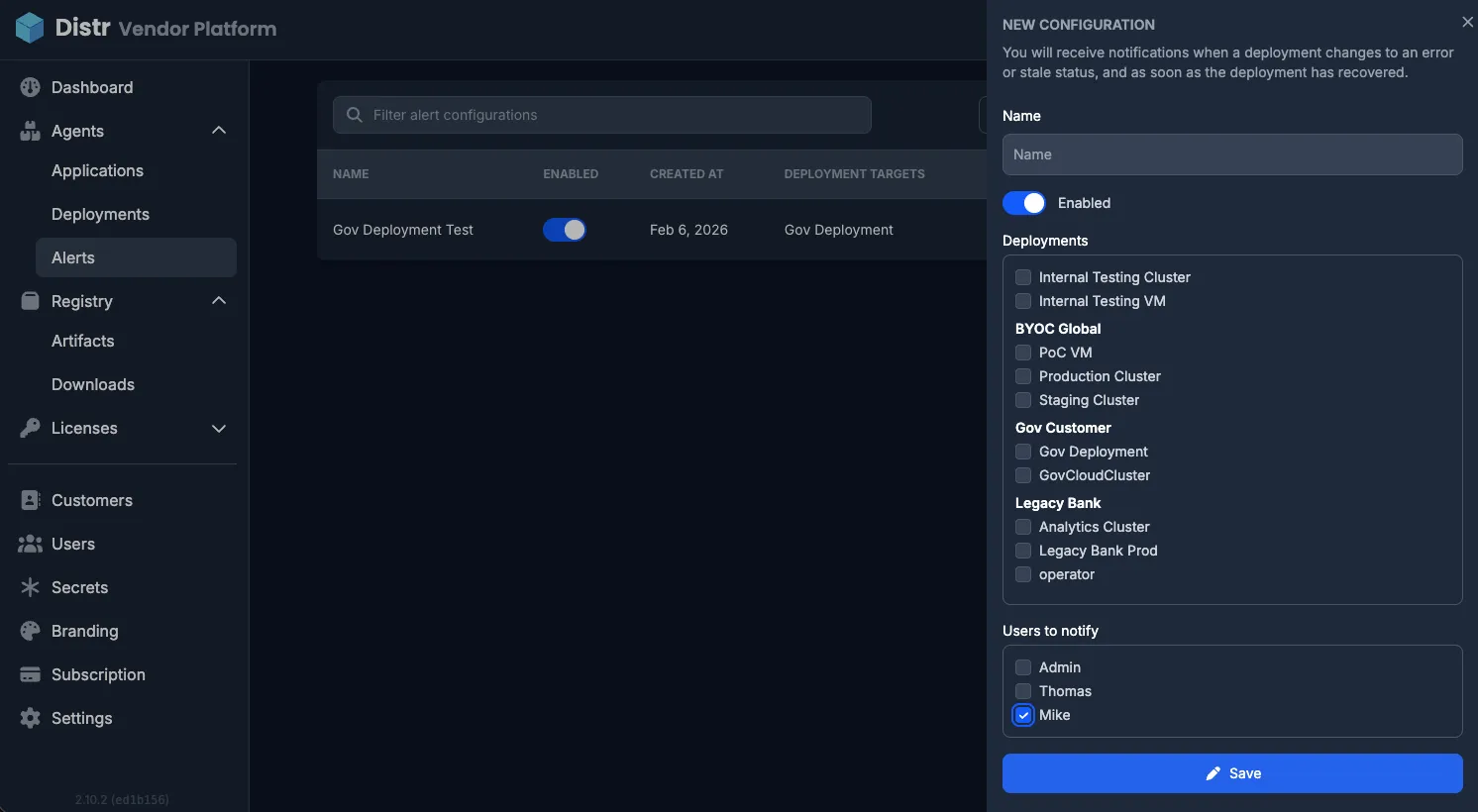
Section titled “How to Configure Alerts”In the sidebar, navigate to Agents > Alerts.
- Click Create alert configuration.
- Enter a name for the configuration.
- Enable one or more triggers (see Trigger Types below).
- Select one or more deployments to monitor.
- Select the users who should receive email notifications.
Each configuration can be toggled on or off without deleting it.
The Notification history tab shows previously triggered alerts.
Trigger Types
Section titled “Trigger Types”Each alert configuration requires at least one trigger. You can combine multiple triggers in a single configuration.
Deployment status changes
Section titled “Deployment status changes”Triggers when a monitored deployment transitions between health states:
| From | To |
|---|---|
| Running or Healthy | Stale or Error |
A recovery notification is also sent when a deployment returns to a healthy state (Running or Healthy) after being degraded.
For the full list of deployment statuses, see Deployment Status. For details on how Running vs. Healthy is determined, see Healthchecks.
Resource usage thresholds
Section titled “Resource usage thresholds”Triggers when a host metric exceeds a percentage threshold you define. Three resource metrics are available:
| Trigger | What it monitors |
|---|---|
| CPU usage | Overall CPU utilization on the host or cluster |
| Memory usage | Overall memory utilization on the host or cluster |
| Disk usage | Disk utilization per mount point (Docker agent only) |
For each trigger, set a threshold between 1% and 100%. When usage crosses above the threshold, an alert email is sent. A recovery email is sent when usage drops back below the threshold.
Notification Emails
Section titled “Notification Emails”All alert notifications are sent by email to the users selected in the configuration. Each email includes:
- The affected deployment target and customer organization
- The trigger type (status change, CPU, memory, or disk)
- For resource alerts: the configured threshold and the current usage percentage
- Whether it is an alert or a recovery notification
Custom alerting with Prometheus
Section titled “Custom alerting with Prometheus”For more advanced alerting workflows beyond the built-in email notifications, Distr exposes deployment status metrics via a Prometheus-compatible endpoint. These metrics can be combined with tools like Alertmanager or Grafana Alerts to route notifications to Slack, PagerDuty, or other channels.