
Air-Gapped Deployments with Distr and Zarf
Zarf is an open-source tool for delivering software into air-gapped and disconnected environments. A Zarf package bundles everything a Kubernetes application needs (Helm charts, container images, and manifests) into a single archive that can be deployed without any access to external registries.
Zarf packages are published as standard OCI artifacts, so the Distr Artifact Registry can host them like any other artifact. You publish packages from your CI pipeline, decide which customer gets access to which package with artifact entitlements, and see per-customer download analytics. Your customers pull a package once and can then deploy it into clusters that have no internet access at all.
By the end of this guide, you’ll have:
- A
zarf.yamlpackage definition for your Helm-based application - A GitHub Actions job that builds and publishes a multi-architecture Zarf package to the Distr registry on every release
- A deployment flow your customers can use to install the package in connected or fully air-gapped clusters
This guide follows the setup of the hello-distr example application. If you haven’t read it yet, the Automatic Deployments from GitHub guide covers the surrounding release automation in detail.
Prerequisites
Section titled “Prerequisites”Before starting, ensure you have:
- A Distr account with a registry slug configured
- A Personal Access Token for pushing to the registry
- A Helm chart for your application, with all container images published to a registry
- The Zarf CLI installed locally for testing
How the Integration Works
Section titled “How the Integration Works”The delivery pipeline looks like this:
- Your release workflow builds and pushes your container images and Helm chart
zarf package createreads yourzarf.yaml, resolves the chart (from a local path in this guide, but Helm repositories and Git are also supported), pulls all referenced images, and writes a single.tar.zstarchive that also includes SBOMs for every imagezarf package publishpushes the archive to the Distr registry as an OCI artifact- Your customers deploy directly from the registry with
zarf package deploy oci://..., or download the package once and carry it across the gap
Once published, the package shows up in your Distr registry UI like any other artifact, including tags, size, and per-customer pull analytics.
Step 1: Create the Zarf Package Definition
Section titled “Step 1: Create the Zarf Package Definition”Create a zarf.yaml next to your deployment files (hello-distr keeps it in deploy/zarf/):
kind: ZarfPackageConfigmetadata:  name: hello-distr  description: A sample multi-service application for the Distr platform  version: '###ZARF_PKG_TMPL_VERSION###'  url: https://github.com/distr-sh/hello-distr
components:  - name: hello-distr    required: true    description: Deploys the Hello Distr Helm chart together with all required images    charts:      - name: hello-distr        namespace: hello-distr        version: '###ZARF_PKG_TMPL_VERSION###'        localPath: ../charts/hello-distr    images:      - 'ghcr.io/distr-sh/hello-distr/backend:###ZARF_PKG_TMPL_VERSION###'      - 'ghcr.io/distr-sh/hello-distr/frontend:###ZARF_PKG_TMPL_VERSION###'      - 'ghcr.io/distr-sh/hello-distr/proxy:###ZARF_PKG_TMPL_VERSION###'      - 'ghcr.io/distr-sh/hello-distr/jobs:###ZARF_PKG_TMPL_VERSION###'      - 'docker.io/postgres:18.4-alpine3.23'
Key points:
###ZARF_PKG_TMPL_VERSION###is a Zarf package template. Its value is provided at build time with--set VERSION=..., so the package version, chart version, and image tags all stay in sync with your release tag.charts[].versionis required, also forlocalPathcharts. It must match theversionin yourChart.yaml. If you use Release Please as described in the GitHub guide, both are bumped from the same release tag automatically.imagesmust list every image your chart deploys, including dependency images such as the PostgreSQL database. Zarf pushes these into the target cluster’s internal registry at deploy time, so nothing is pulled from the internet.
You can validate the definition at any time:
zarf dev lint deploy/zarf --set VERSION=1.0.0Step 2: Build and Test Locally
Section titled “Step 2: Build and Test Locally”Build the chart dependencies and create the package:
helm dependency build deploy/charts/hello-distrzarf package create deploy/zarf --set VERSION=1.0.0 -o build --confirmThis produces build/zarf-package-hello-distr-<arch>-1.0.0.tar.zst containing the chart, all images, and generated SBOMs.
To test it against a local cluster (for example minikube) that has been initialized with zarf init:
zarf package deploy build/zarf-package-hello-distr-*-1.0.0.tar.zst --confirmZarf pushes the bundled images into the cluster’s internal registry, rewrites the image references, and installs the Helm chart. This is exactly what will happen later in your customer’s environment.
Step 3: Publish to the Distr Registry
Section titled “Step 3: Publish to the Distr Registry”Log in to the Distr registry with your Personal Access Token. Distr only validates the token, so the username can be any value; - is used as a placeholder here:
zarf tools registry login registry.distr.sh -u - -p "YOUR-ACCESS-TOKEN"Then publish the package. The OCI reference is your registry hostname plus your organization’s registry slug:
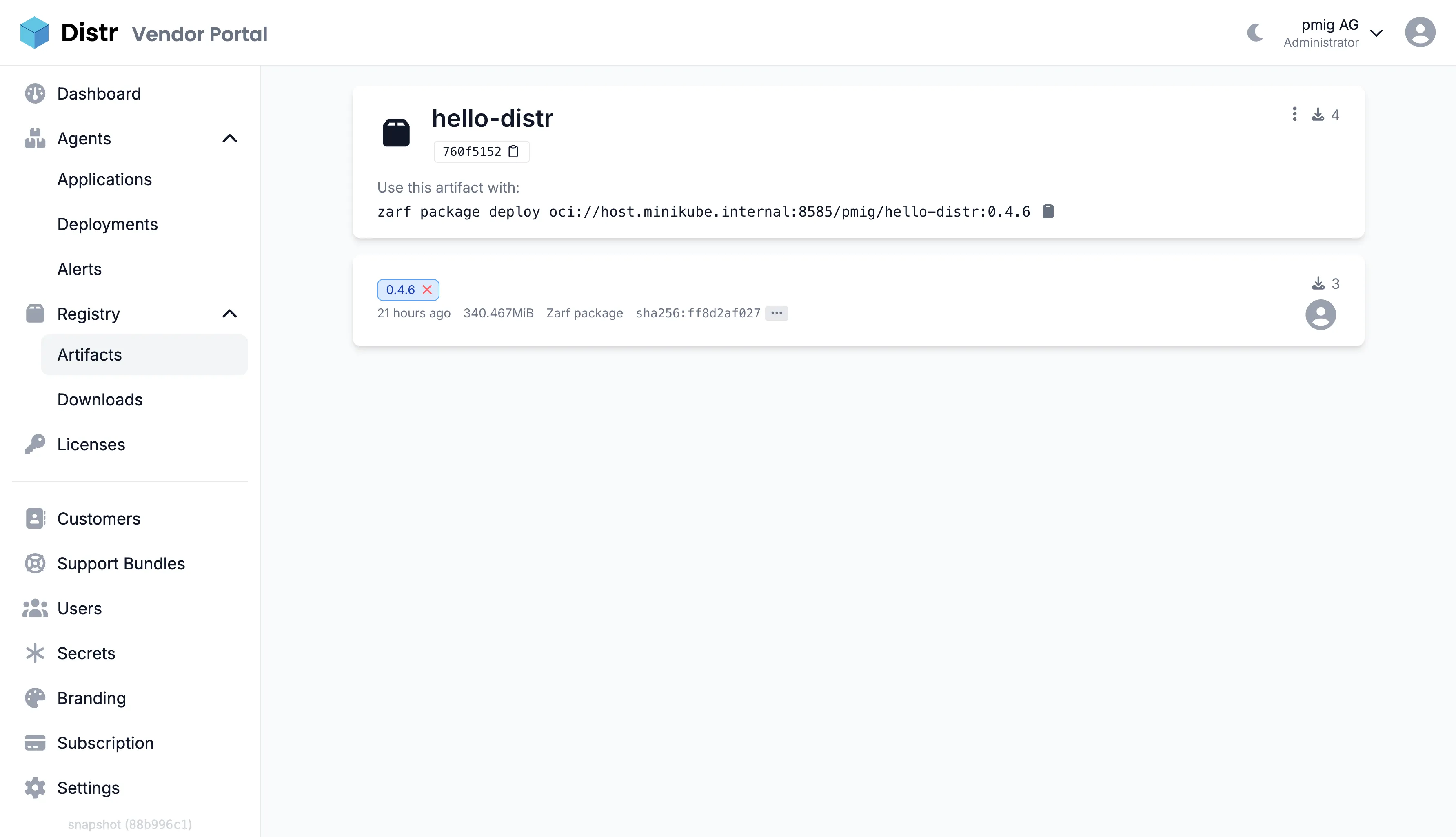
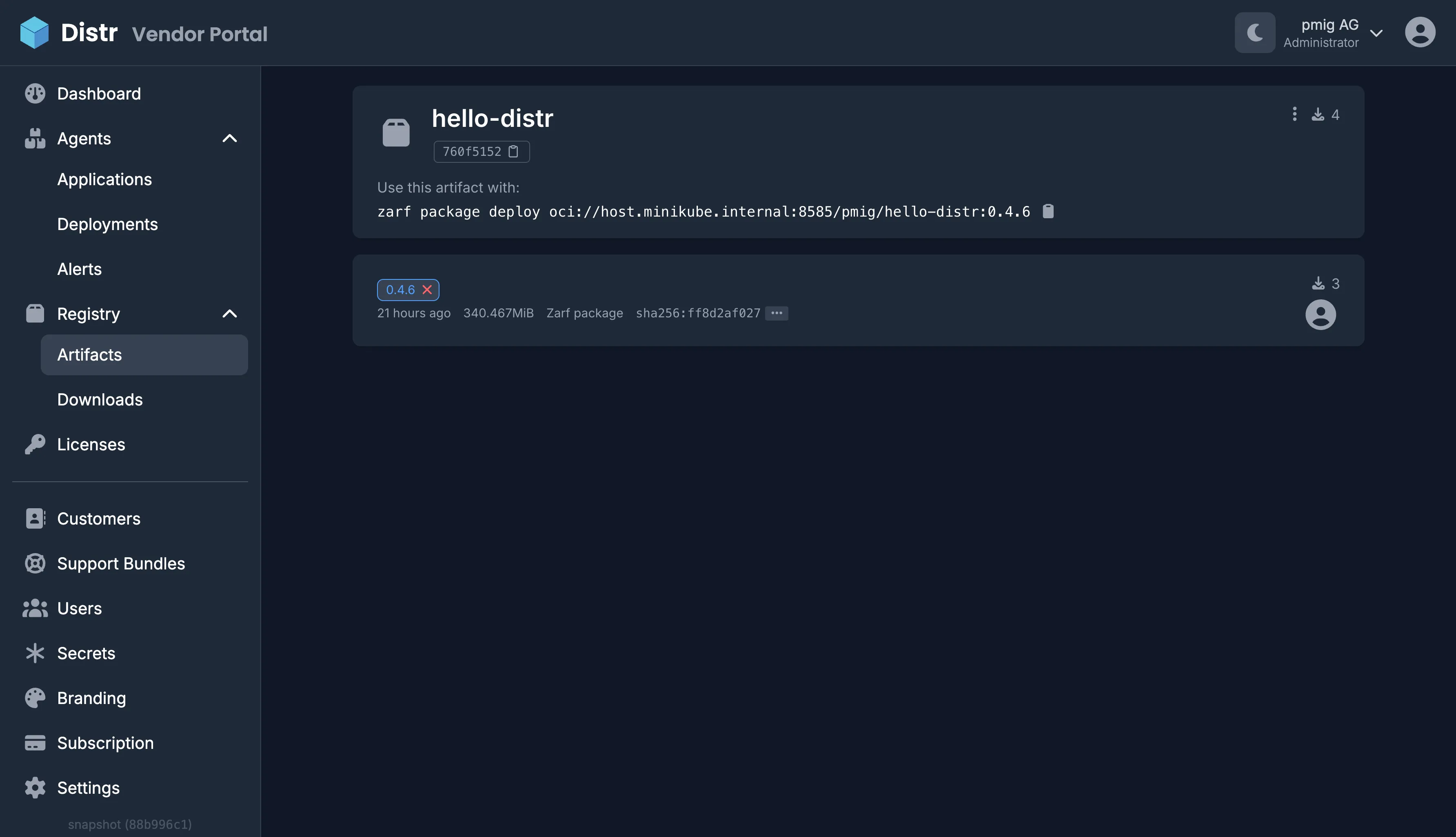
zarf package publish build/zarf-package-hello-distr-*.tar.zst oci://registry.distr.sh/your-slugThe package is now available at oci://registry.distr.sh/your-slug/hello-distr:1.0.0 and appears in the Distr registry UI, where you can license it to customers via artifact entitlements.
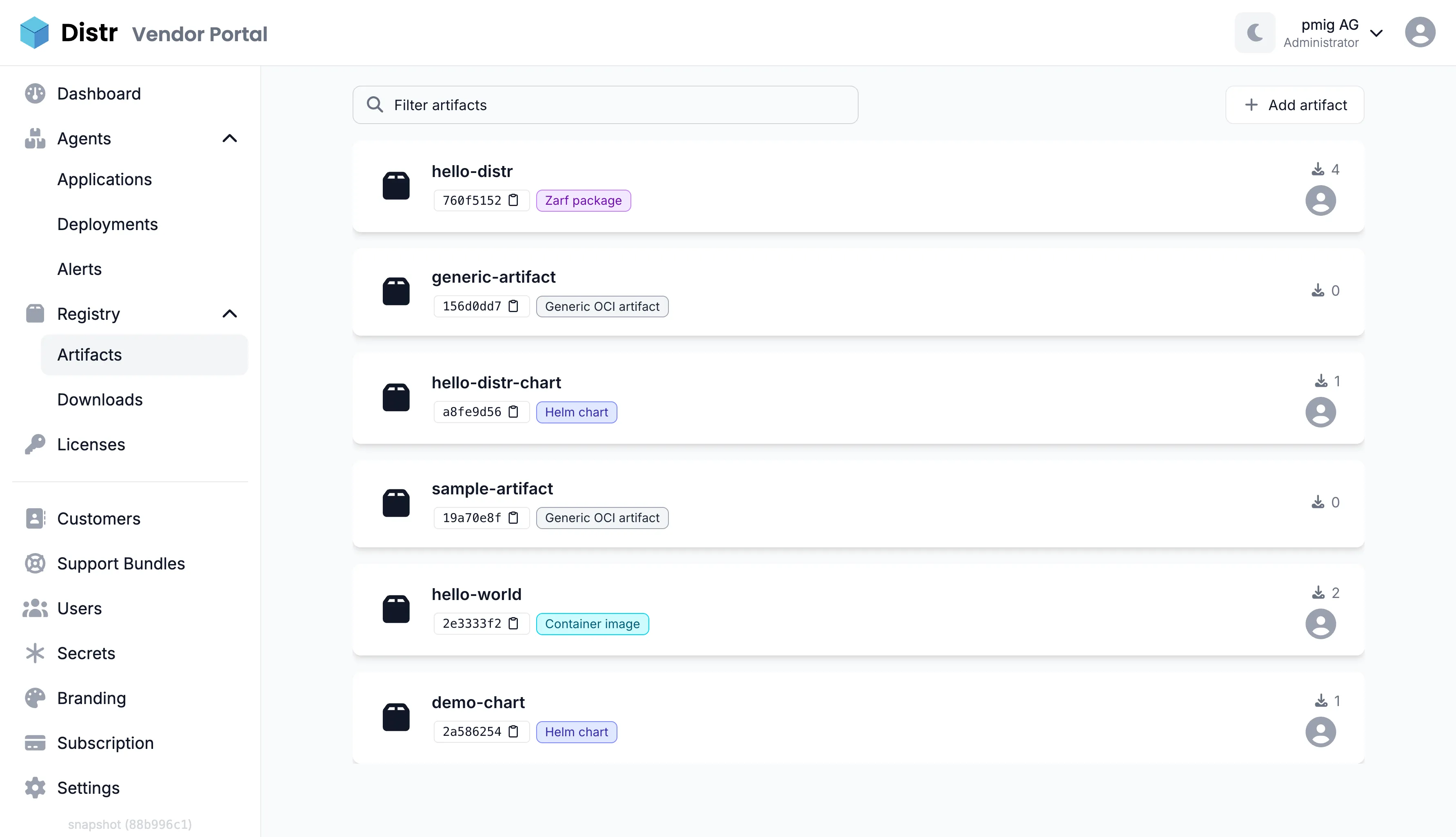
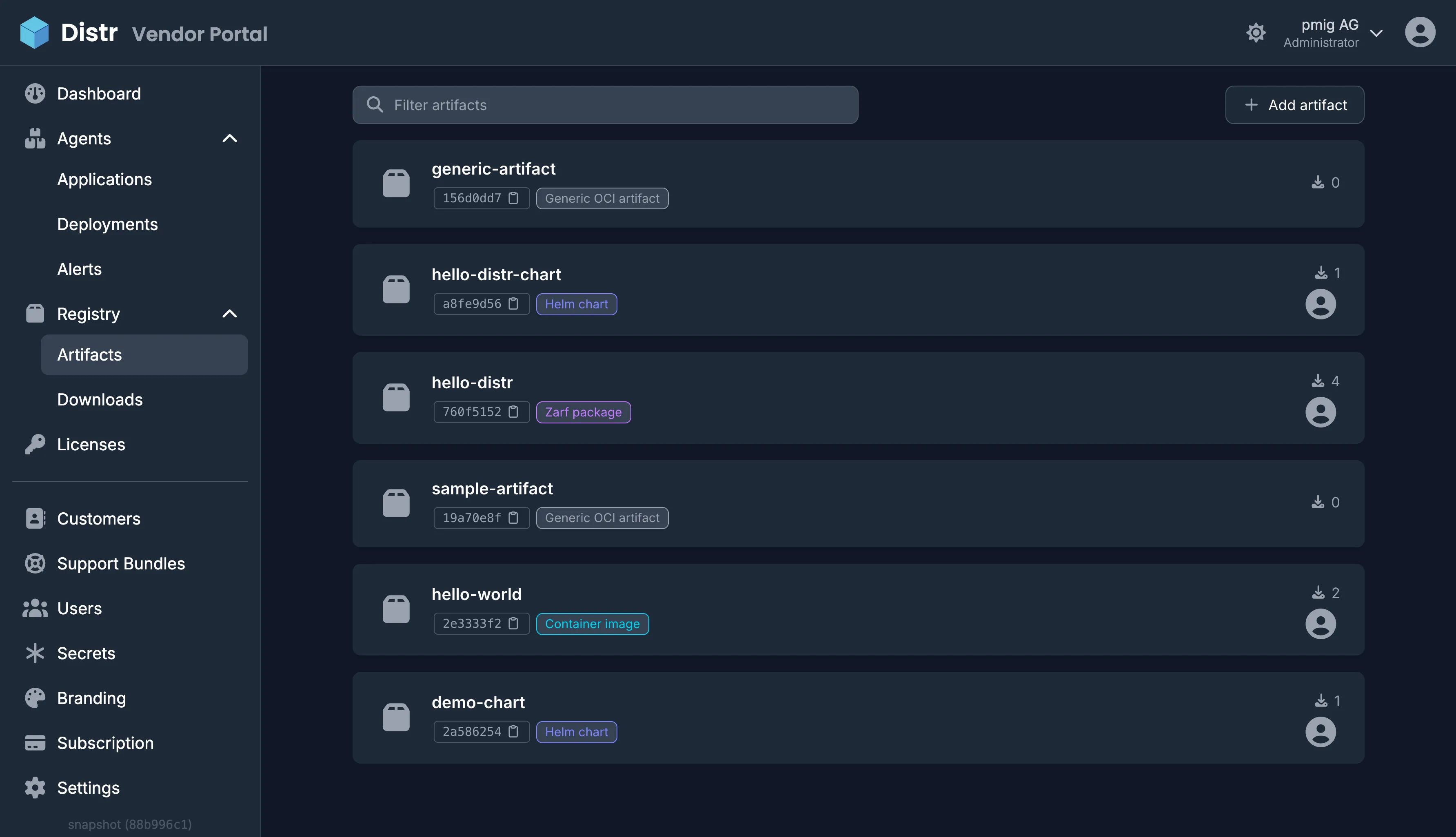
The artifact detail page shows all published tags with their size and pull counts, and displays the exact zarf package deploy command your customers can copy to install the package.
Step 4: Automate with GitHub Actions
Section titled “Step 4: Automate with GitHub Actions”Add a job to your release workflow that creates and publishes the Zarf package for every release tag. This is the build-zarf job from the hello-distr workflow:
build-zarf: name: Build Zarf package needs: build # wait until all container images are pushed if: startsWith(github.ref, 'refs/tags/') runs-on: ubuntu-latest permissions: contents: read packages: read steps: - name: Checkout uses: actions/checkout@v7 - name: Setup helm uses: azure/setup-helm@v5 - name: Build helm dependencies run: helm dependency build deploy/charts/hello-distr - name: Login to GitHub Container Registry uses: docker/login-action@v4 with: registry: ghcr.io username: ${{ github.actor }} password: ${{ secrets.GITHUB_TOKEN }} - name: Login to Distr Registry uses: docker/login-action@v4 with: registry: registry.distr.sh username: ${{ github.actor }} password: ${{ secrets.DISTR_TOKEN }} - name: Setup Zarf uses: zarf-dev/setup-zarf@v1 with: version: v0.81.0 - name: Create Zarf package run: | zarf package create deploy/zarf -a amd64 --set VERSION="${{ github.ref_name }}" --confirm zarf package create deploy/zarf -a arm64 --set VERSION="${{ github.ref_name }}" --confirm - name: Publish Zarf package to Distr registry run: | for pkg in zarf-package-hello-distr-*.tar.zst; do zarf package publish "$pkg" oci://registry.distr.sh/your-slug doneNotes on this job:
needs: buildensures the container images exist in the source registry before Zarf tries to pull them into the package.DISTR_TOKENis a repository secret containing your Distr Personal Access Token.- The job builds one package per CPU architecture (
-a amd64and-a arm64). Publishing both to the same OCI reference creates a multi-arch index, sozarf package deployautomatically selects the right package for the target cluster. Note that publishing the second architecture updates the already existing tag, which requires mutable tags. By default, the Distr registry uses immutable tags, so enable “Artifact versions are mutable” on the organization settings page for this to work. --set VERSION="${{ github.ref_name }}"wires the release tag into the###ZARF_PKG_TMPL_VERSION###template.
Step 5: Customer Deployment
Section titled “Step 5: Customer Deployment”Customers authenticate with their own Personal Access Token and can only access packages they are licensed for.
Connected Clusters
Section titled “Connected Clusters”For clusters that can reach the Distr registry, customers deploy directly from the OCI reference:
zarf tools registry login registry.distr.sh -u - -p "CUSTOMER-ACCESS-TOKEN"zarf init --confirmzarf package deploy oci://registry.distr.sh/your-slug/hello-distr:1.0.0 --confirmFully Air-Gapped Clusters
Section titled “Fully Air-Gapped Clusters”For environments without any internet access, customers pull the package on a machine that can reach the Distr registry, transfer it across the gap (for example on physical media), and deploy from the local file:
# On a machine with registry accesszarf package pull oci://registry.distr.sh/your-slug/hello-distr:1.0.0
# Transfer zarf-package-hello-distr-*.tar.zst across the gap, then:zarf init --confirmzarf package deploy zarf-package-hello-distr-amd64-1.0.0.tar.zst --confirm
In both cases, zarf init sets up Zarf’s in-cluster registry once per cluster. Every subsequent package deployment pushes its bundled images there, so the cluster never has to pull an image from an external registry.
Troubleshooting
Section titled “Troubleshooting”Package Creation Fails with “must include a chart version”
Section titled “Package Creation Fails with “must include a chart version””Zarf requires an explicit version on every chart entry, including charts referenced via localPath. Add version: '###ZARF_PKG_TMPL_VERSION###' (or the concrete chart version) to the chart definition in your zarf.yaml.
Deployed Pods Fail with “ImagePullBackOff”
Section titled “Deployed Pods Fail with “ImagePullBackOff””An image referenced by your Helm chart might be missing from the images list in zarf.yaml. Render your chart and compare against the package definition:
helm template test deploy/charts/hello-distr | grep 'image:'Every image in the output (including subchart images) must be listed in zarf.yaml.
Deployment Fails with “no package found for architecture”
Section titled “Deployment Fails with “no package found for architecture””The published package doesn’t include a build for the target cluster’s CPU architecture. Build and publish one package per architecture as shown in Step 4.
Next Steps
Section titled “Next Steps”- Artifact Entitlements - License Zarf packages to specific customers
- Artifact Registry - Learn more about the Distr registry and download analytics
- Automatic Deployments from GitHub - Set up the surrounding release automation
Additional Resources
Section titled “Additional Resources”- Zarf Documentation - Official Zarf documentation
- hello-distr Example Application - Complete example including the Zarf package definition and CI workflow
- Distr Community Forum
Have questions? Get help in our community forum or check out the FAQs.