
Pull-Through Cache
The Distr registry can act as a pull-through cache for any OCI-compatible upstream registry. Configure an artifact with an upstream URL and Distr will sync tags from the upstream and serve blobs to your customers on demand, with no direct upstream access required.
This lets you consolidate all image pulls through a single registry endpoint with unified access control, download analytics, and entitlement enforcement, regardless of where the images are originally hosted.
How it works
Section titled “How it works”After a sync, Distr stores the tag list and manifest metadata from the upstream. Blob data (layers, image configs) is fetched from the upstream on first pull and cached in the Distr registry. Subsequent pulls are served entirely from Distr.
Setting up a pull-through cache artifact
Section titled “Setting up a pull-through cache artifact”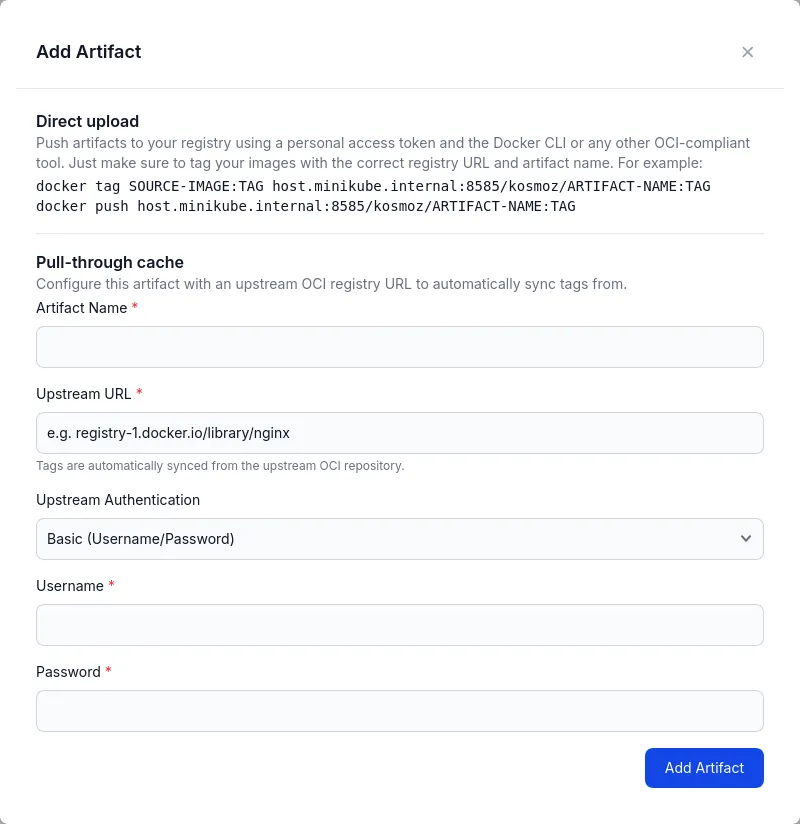
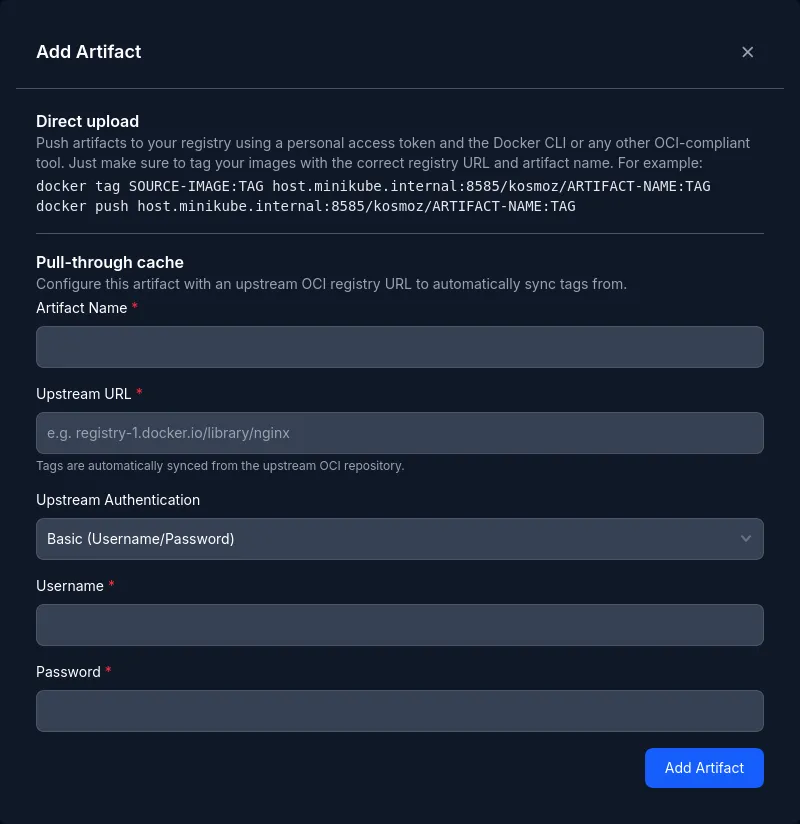
When creating or editing an artifact, set the Upstream URL to the fully qualified image reference of the upstream repository. The URL must point to a specific repository, not the entire registry. Each pull-through artifact maps to exactly one upstream repository.
| Upstream registry | Example URL |
|---|---|
| Docker Hub | docker.io/library/redis |
| AWS ECR | 123456789012.dkr.ecr.us-east-1.amazonaws.com/my-repo |
| GitHub Container Registry | ghcr.io/org/repo |
| Google Artifact Registry | us-docker.pkg.dev/project/repo/image |
Authentication
Section titled “Authentication”If the upstream requires authentication, select one of the supported auth types. Credentials are validated against the upstream when saved.
| Type | Credentials |
|---|---|
| Basic | Username and password |
| AWS ECR | AWS Access Key ID and Secret Access Key |
Public repositories do not require authentication. Select “No authentication”.
AWS ECR
Section titled “AWS ECR”For AWS Elastic Container Registry, select “AWS ECR” and provide an AWS access key ID and secret access key. Distr automatically exchanges these credentials for a short-lived ECR authorization token and refreshes it before it expires.
The IAM identity associated with the credentials must have the following permissions:
{ "Version": "2012-10-17", "Statement": [ { "Sid": "DistrPullThroughCache", "Effect": "Allow", "Action": [ "ecr:GetDownloadUrlForLayer", "ecr:BatchGetImage", "ecr:DescribeImages", "ecr:GetAuthorizationToken", "ecr:DescribeRepositories", "ecr:ListImages" ], "Resource": "*" } ]}Pulling images through the cache
Section titled “Pulling images through the cache”Once configured, pull images using the standard Docker CLI (or any OCI client) via the Distr registry URL:
docker pull registry.distr.sh/<slug>/<artifact-name>:<tag>Replace <slug> with your organization’s registry slug, <artifact-name> with the name you gave the artifact in Distr, and <tag> with the upstream tag you want to pull.
Clients must authenticate with a Personal Access Token the same way they do for any other artifact in the Distr registry.
Tag synchronization
Section titled “Tag synchronization”Distr runs a background sync job to keep the local tag list in sync with the upstream repository.
The sync fetches all tags and their manifest metadata, making them available for HEAD requests and entitlement enforcement without requiring an actual pull.
On Distr Cloud, the sync runs twice per hour (at :15 and :45).
For self-hosted instances, the schedule is controlled by the REGISTRY_UPSTREAM_SYNC_CRON environment variable. See Upstream Tag Synchronization.
You can also trigger a manual sync at any time from the artifact details page or via the API:
curl -X POST https://app.distr.sh/api/v1/artifacts/<artifactId>/sync \ -H "Authorization: AccessToken <token>"Monitoring sync status
Section titled “Monitoring sync status”The artifact details page shows:
- Last synced at: when the most recent sync completed successfully.
- Last sync error: the error message from the most recent failed sync, if any.
If the sync error field is populated, verify that the upstream URL is correct and that the configured credentials have not expired or been revoked.