
License Keys
This guide walks you through how to use License Keys to issue cryptographically signed tokens that your application can verify at runtime to enforce usage limits, seat counts, feature flags, or any other constraint you define.
What license keys are for
Section titled “What license keys are for”License Keys are different from Application Entitlements and Artifact Entitlements. Entitlements control what a customer can access within Distr. License keys carry arbitrary data — seat counts, plan tier, feature flags — that your application reads and enforces independently of Distr.
When you request a token for a license key, Distr generates a signed JWT. Your application verifies it using the public key you generate and distribute. No call back to Distr is needed at verification time, which means license key validation works in air-gapped and offline environments.
Creating a license key
Section titled “Creating a license key”- Navigate to Licenses in the sidebar
- Click the customer you want to create a license key for
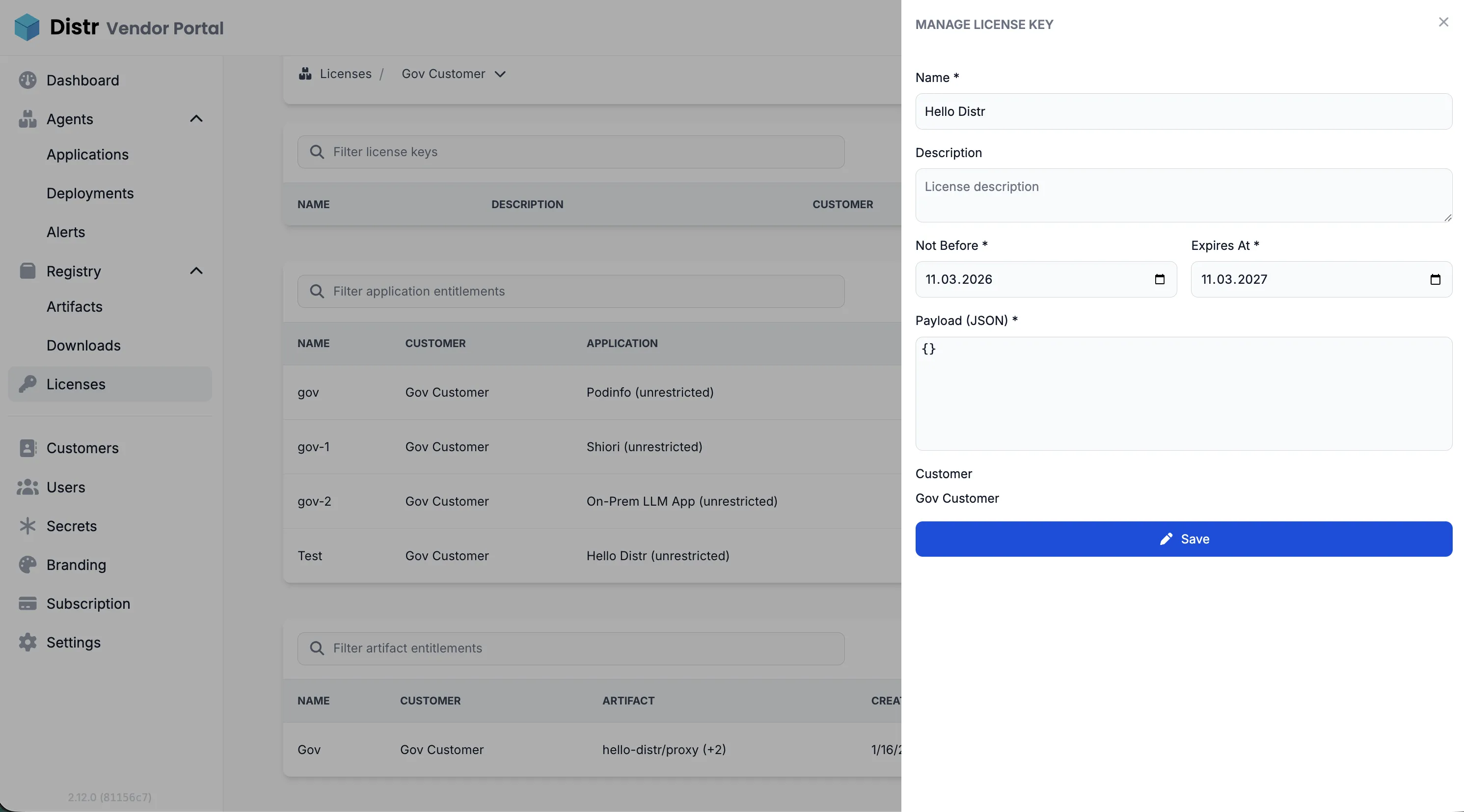
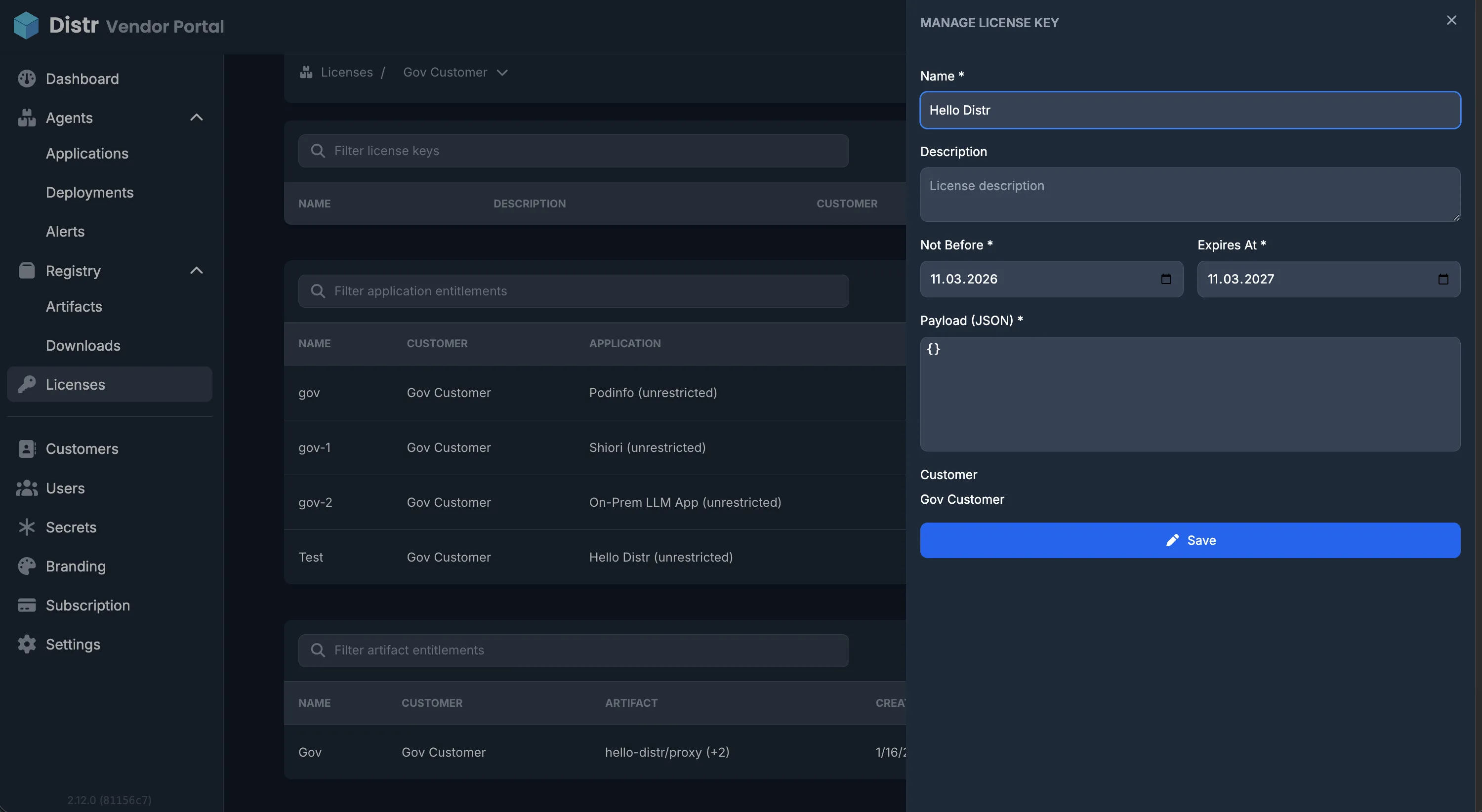
- Select the License Keys tab and click “Create License Key”
- Fill in the form:
- Name (required) — must be unique within your organization
- Description (optional)
- Not Before — the date from which the token is valid (defaults to today)
- Expires At — the date the token expires (defaults to one year from today)
- Payload — a JSON object with your custom claims (see Payload below)
- Save — the key is created immediately
Payload
Section titled “Payload”The payload is a JSON object containing the custom claims you want to embed in the token. You define what these mean — Distr treats them as opaque data.
Example payloads:
{"seats": 25, "plan": "pro"}{ "instances": 3, "modules": ["analytics", "reporting"], "expires_notice_days": 30}The payload must be a JSON object (not an array or primitive). The following field names are reserved by the JWT spec and cannot be used: exp, nbf, iss, sub, aud, iat.
Getting the token
Section titled “Getting the token”Once a license key exists, you can retrieve the signed JWT at any time:
Vendor: Open the license key from the customer’s detail view and click the view (eye) icon. Distr generates the token and displays it — copy it to deliver to your customer.
Customer: In the customer portal, navigate to Licenses and click the key. The token is available there directly. Customers can copy and use it in their environment.
Verifying tokens in your application
Section titled “Verifying tokens in your application”The token is a standard JWT signed with EdDSA (Ed25519). Use any JWT library that supports EdDSA to verify it.
The token contains:
iss— your Distr host URLsub— the license key UUIDaud—["license-key"]iat— issued at (when the key was created in Distr)nbf— not beforeexp— expiration- All fields from your payload as top-level claims
Example verification (Node.js with jose):
import {importSPKI, jwtVerify} from 'jose';
const publicKey = await importSPKI(PUBLIC_KEY_PEM, 'EdDSA');
const {payload} = await jwtVerify(token, publicKey, {  audience: 'license-key',});
console.log(payload.seats); // your custom claim
Your application is responsible for deciding what to do when verification fails or the token is expired.
Editing a license key
Section titled “Editing a license key”You can update the name and description of an existing license key. Payload, dates, and customer assignment cannot be changed after creation.
To edit: open the license key from the customer’s detail view and click the edit (pen) icon.
Deleting a license key
Section titled “Deleting a license key”To delete: open the license key and click the delete (trash) icon, then confirm.
How customers use the token in their application
Section titled “How customers use the token in their application”Once a customer has a license token, they need to make it available to their application at runtime. The exact mechanism depends on their deployment setup.
Docker (via Distr deployment agents)
Section titled “Docker (via Distr deployment agents)”For applications deployed via Distr agents using Docker Compose, the vendor can inject the token as an environment variable directly in the deployment configuration. In the application’s Compose file, reference it as an environment variable:
services: app: image: your-app:latest environment: LICENSE_KEY: '${LICENSE_KEY}'The customer sets LICENSE_KEY as a secret in their Distr deployment target, or the vendor injects it via the deployment configuration. The application reads process.env.LICENSE_KEY (or the equivalent in your language) at startup and verifies it.
Helm (via Distr deployment agents)
Section titled “Helm (via Distr deployment agents)”For Helm-based deployments, pass the token as a Helm value or store it in a Kubernetes secret and reference it in your chart:
licenseKey: ''
# deployment.yamlenv:  - name: LICENSE_KEY    value: {{.Values.licenseKey}}
The customer sets the value in their Distr deployment configuration, or stores it as a Kubernetes secret and mounts it into the pod.
Registry-only deployments
Section titled “Registry-only deployments”For customers who pull artifacts directly from your Distr registry without using deployment agents, provide them with the token out-of-band. The customer is responsible for injecting it into their own deployment pipeline — typically as an environment variable, a mounted secret file, or a Kubernetes secret.
Customer portal view
Section titled “Customer portal view”Customers see their license keys under Licenses in the customer portal sidebar. They can view the token for each key but cannot create, edit, or delete keys.